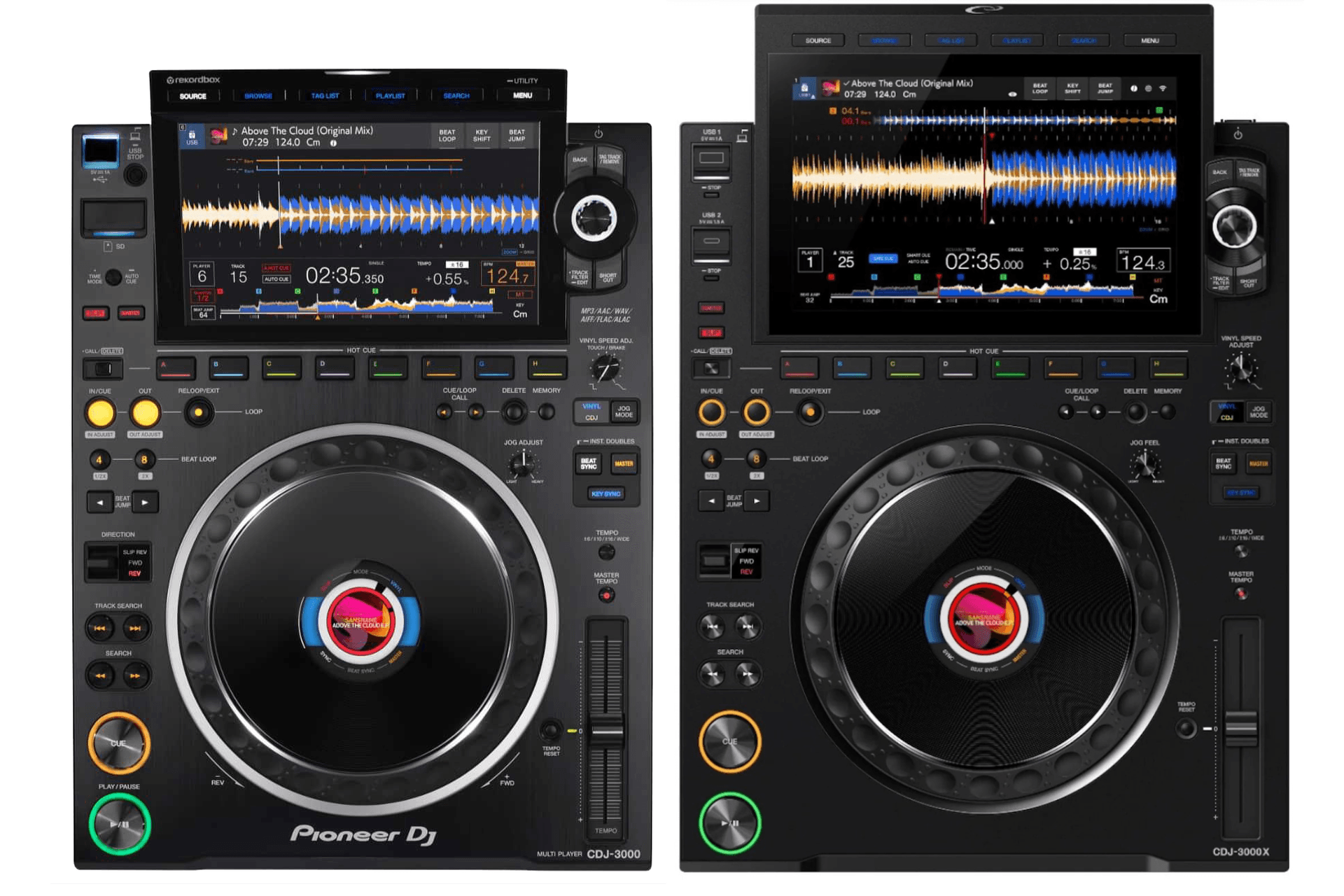


The Rebirth of the Compact Booth
Introduced in early July 2026, the AlphaTheta CDJ-1500X positions itself as the definitive bridge between the standard of large festivals and the intimacy of boutique clubs, music bars, and high-end home studios. Inheriting the formidable processing power and the immense screen of its big brother, the CDJ-3000X, this multi-track player redefines the workflow by eliminating exclusive reliance on physical drives. In this comprehensive technical guide, we will explore step-by-step how to integrate, configure, and master each of the innovations of this sophisticated hardware, from the revolutionary audience interaction function to its wireless connectivity.
Physical Connections and Environment Preparation
The player's architecture has been designed to fit into tight spaces without sacrificing robustness. Before turning on the equipment, it is essential to establish a clean and secure signal routing to ensure maximum audio fidelity.
- Place the player on your work surface and connect the supplied power cable to the AC IN port located on the rear panel.
- Connect high-quality RCA audio cables from the player's Audio Out to the corresponding line channels of your mixer.
- If you use a complete digital ecosystem with multiple units, link a standard network cable to the LAN port to share BPM information, synchronization, and track data between players.
- Insert your main storage drive into the top USB-A port, or prepare a cable to connect your laptop via the modern rear USB-C port.
Advanced Navigation on the Touch Screen
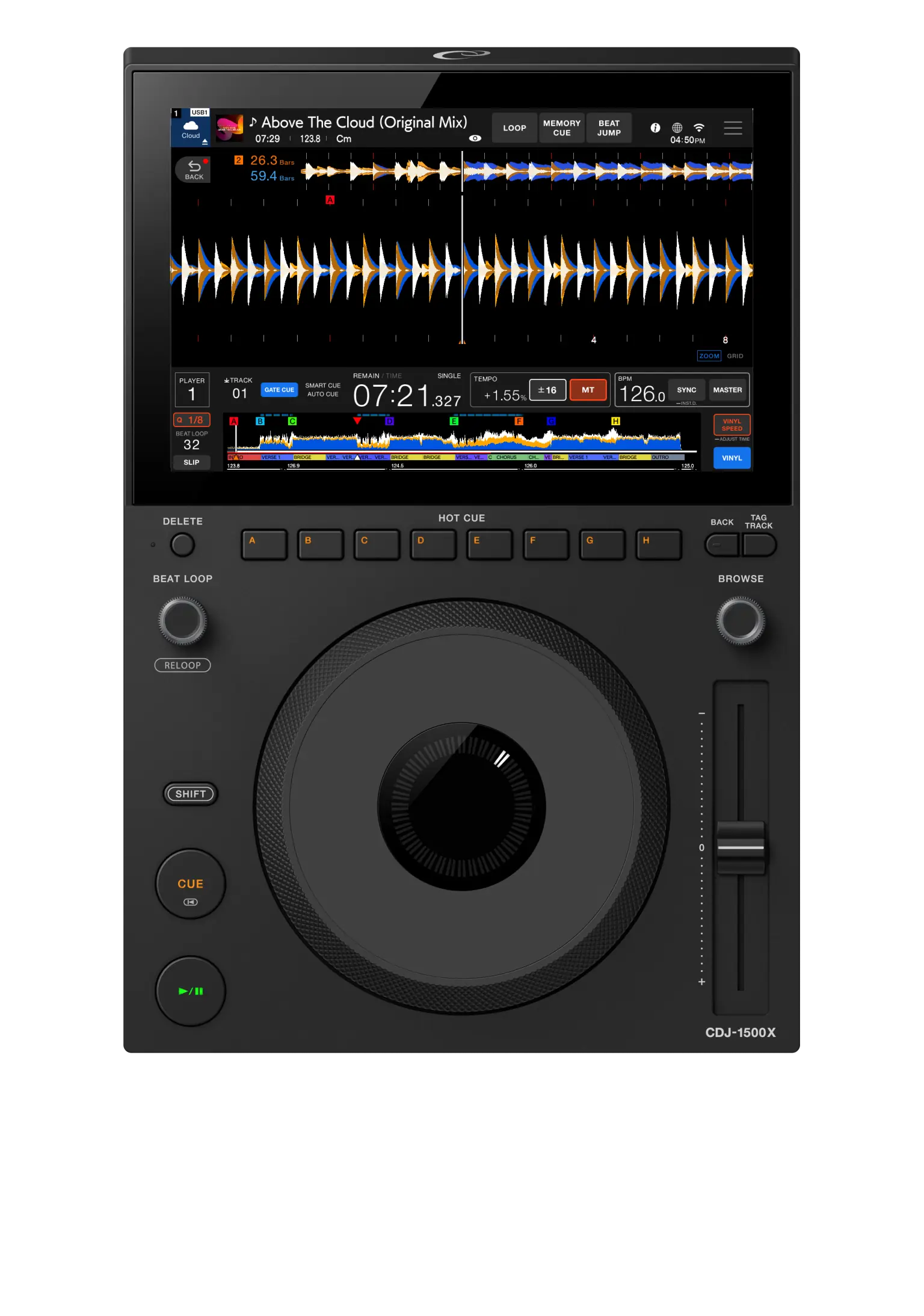
The visual heart of this player is its impressive 10.1-inch Capacitive Touch Screen. AlphaTheta has optimized the graphical interface to take advantage of every square centimeter, allowing you to view up to 15 tracks simultaneously in list mode, which drastically speeds up song searching during high-pressure moments.
Tap the Source icon in the top left corner to select your audio source. You can fluidly toggle between your physical drive, the cloud library, or streaming services. Use precise swipe gestures to navigate through playlists. Thanks to the power of the internal processor, metadata loading is instantaneous. Press on the global waveform at the top of the touch screen to perform a quick jump to any point in the song, facilitating pre-listening in the headphones before raising the fader.
Network Configuration: Wi-Fi and NFC Authentication
Immediate access to your digital library is vital in professional environments. This model eliminates the friction of manual logins thanks to its advanced wireless connectivity, allowing you to load your profile in seconds.
- Access the general settings menu by holding down the Menu / Utility button for two seconds.
- Scroll to the Network section on the screen and select Wi-Fi. Choose your secure local network and enter the password using the virtual keyboard.
- To quickly log in to your rekordbox account, open the official application on your smartphone.
- Bring your mobile device close to the NFC sensor located on the player's chassis. Your profile, custom user settings, and cloud access will load instantly without the need to type credentials.
Musical Deployment: CloudDirectPlay and Direct Streaming
The hardware is intrinsically designed for the high-speed internet era. With the rekordbox CloudDirectPlay function, you can access your entire music collection stored in the cloud directly from the booth, without depending on a computer.
- Once authenticated with your account, select the Cloud option in the main source menu.
- Browse your playlists exactly as if they were on a physical flash drive. When loading a track, it will be downloaded to the player's internal cache memory to ensure smooth, uninterrupted playback, even if the connection fluctuates.
- If you prefer to use immense subscription catalogs, select the Streaming section. The system is natively compatible with Apple Music, Beatport Streaming, and Tidal.
- Log in to your preferred provider through the touch interface and access millions of tracks. The hardware will analyze the BPM and key in real-time when loading them onto the deck.
Mastering the Hardware: The New Beat Loop and Hot Cues
One of the boldest and most discussed design decisions is the removal of the traditional separate Loop In and Loop Out buttons. Instead, AlphaTheta has introduced a faster, more minimalist, and modern workflow, ideal for dynamic transitions.
- Locate the Beat Loop knob, a high-precision rotary encoder located at the top of the control panel.
- Turn the Beat Loop knob to the left or right to pre-select the mathematical length of the loop (for example, 4, 8, or 16 beats). This value will be clearly displayed on the screen interface.
- Press the encoder down firmly at the exact moment you wish to start the repetition. The player will activate the loop instantly, quantized to the track grid if the Quantize function is active.
- To exit the loop and continue normal song playback, simply press the Beat Loop knob again.
- To complement this rhythmic function, just above the Jog Wheel you will find a touch-sensitive row of 8 Hot Cue buttons. Press them to mark points of interest or to structure quick jumps to key sections of your audio file.
Activation and Management of CoBeat: Audience Interaction
The CDJ-1500X makes history by being the first player from the brand to incorporate CoBeat, a revolutionary service designed specifically for bars, small clubs, and private events where direct interaction with the audience is essential for the night's success.
- From the AlphaTheta web portal or using the rekordbox application, create a curated catalog of pre-approved songs that you are willing to play during your performance.
- Generate a unique QR code associated with your live session and display it on the venue's screens, or print it in physical format for the tables.
- When attendees scan the code with their smartphones, they will access an interface where they can browse your music catalog and send direct requests.
- Requests, votes for popular songs, and messages from the audience will appear directly in a dedicated tab on your player's Touch Screen.
- Review incoming requests in real-time and decide, at your own professional discretion, whether you wish to load the suggested track onto the main deck or ignore it, ensuring that absolute control always remains in your hands.
Advanced Integration with Third-Party Software
Although this hardware shines exceptionally as a standalone player that frees you from the computer screen, its versatility extends to the realm of high-performance controllers. By connecting the equipment via the high-speed USB-C port to your laptop, you can natively and intuitively control industry-leading software such as Serato DJ Pro and djay Pro. By establishing this connection, the player's screen interface transforms to reflect the high-resolution waveforms and software libraries, allowing you to operate your digital set with absolute fluidity.
Aesthetic Customization of the Equipment
Understanding that visual aesthetics are crucial in luxury home setups and boutique venues, the industrial design includes highly customizable elements. The player's Illuminated Bay offers up to 12 different LED colors that you can adjust from the Utility menu to match your brand's visual identity or the room's ambiance. Additionally, the chassis allows for the installation of optional side panels to adapt the look of the hardware to the specific decor of your booth.
Pros and Cons in the Booth
As experts in production and mixing technology, we evaluate the real impact of these features in a professional performance environment, breaking down the strengths and compromises of this design.
- Pro: The majestic 10.1-inch touch screen offers unsurpassed readability in this category, showing up to 15 simultaneous tracks and detailed waveforms.
- Pro: Integrated Wi-Fi connectivity and NFC login drastically streamline booth preparation and transitions between different DJs.
- Pro: The disruptive CoBeat function modernizes and professionalizes the concept of 'requesting a song', ideal for open-format DJs and weddings.
- Pro: Its compact size facilitates integration into small booths without sacrificing audio processing power.
- Con: The absence of traditional physical Loop In and Loop Out buttons requires an unavoidable adaptation curve for DJs accustomed to the classic club standard.
- Con: The Jog Wheel is smaller and lacks the mechanical weight of the flagship CDJ-3000X, which could affect purists of turntablism and scratching.
- Con: The lack of a dedicated physical control for the tempo fader range alters the usual muscle memory of professionals.
Final Perspective
The AlphaTheta CDJ-1500X is not simply a miniaturized version of its older siblings; it is a bold statement of intent regarding where the art of modern DJing is heading. By absolutely prioritizing cloud connectivity, high-fidelity direct streaming, and structured digital interaction with the audience, this player stands as the definitive tool for the contemporary hybrid DJ. While traditionalists may miss the presence of certain dedicated physical controls, the undeniable agility provided by the new loop encoder and the immense touch screen more than compensate for these paradigm shifts. It represents a highly intelligent investment for modern venues, demanding home studios, and traveling professionals seeking maximum technological flexibility without compromising an iota of audio quality.