
Introduction to the New Era of Digital DJing
Welcome to this definitive technical guide from TechnoBeatsCloud. Serato DJ 5.0 Beta marks a milestone in the evolution of software for DJs and producers. This preliminary version introduces long-awaited rhythmic analysis tools that revolutionize how you manage tempo and access your music library in the cloud. As this is a beta build, it is imperative that you proceed with caution. Do not use this software in live performances, clubs, or critical festivals, as it is still in the development phase. Install the program on your studio computer or practice environment to familiarize yourself with the new analysis and streaming architectures without putting your professional set at risk.
Step 1: Installation and Initial Precautions
The first step to mastering this update is to perform a secure installation. Serato has designed this installer to coexist with your current stable software, which means your library, metadata, and settings will transfer automatically without overwriting your main version of Serato DJ Pro or Lite. Follow this procedure for a correct implementation:
- Download the official installer from the beta forum area on the Serato website.
- Run the installation file and follow the on-screen wizard guidelines.
- Open the new Serato DJ 5.0 Beta application and verify that all your Crates and playlists are intact.
- Go to the Setup menu and check that your hardware preferences are correctly assigned.
Step 2: Mastering Lucid Beatgrids
The greatest technological advancement in this update is the Lucid Beatgrids analysis engine. Redesigned from the ground up, this system detects BPM fluctuations and time signature changes in real-time. It is the definitive solution for mixing music recorded with human drummers, disco tracks, funk, or complex tempo transitions. Your existing tracks will maintain the old (and safe) analysis until you decide to update them manually. To apply the new engine, perform the following actions:
- Select the specific tracks you wish to update in your main library.
- Right-click on the selection and choose the Analyze option, or drag the files directly to the Analyze Files button.
- Observe in the interface how the software recalculates the tempo markers and places the new dynamic grids.
Once the analysis is finished, go to the waveform display options. You can now observe the BPM Labels directly on the track, allowing you to anticipate speed changes before they happen. If the automatic analysis requires fine-tuning, the software provides you with improved editing controls:
- Access the editing panel by clicking on Grid Editor.
- Use the Set Grid Start function to correct the position of the first beat (downbeat) if the engine has shifted it by mistake.
- Use the Set Beat button to adjust specific beats within an irregular measure.
- Toggle between Flexible Beatgrid mode, ideal for tracks with organic fluctuations, and Fixed Beatgrid mode, optimized for electronic music with constant and quantized tempo.
Step 3: Advanced Open Streaming Configuration
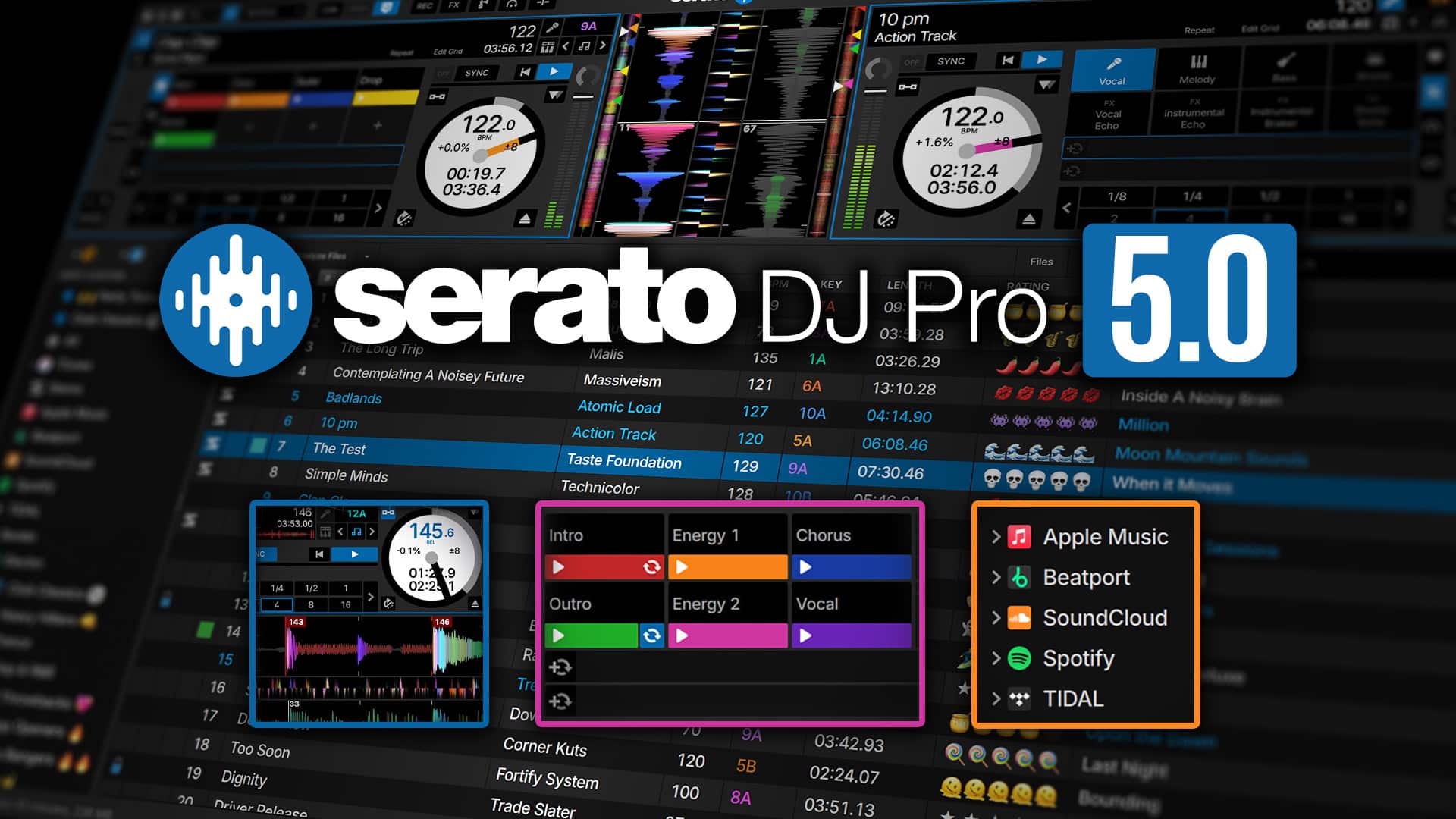
The Open Streaming function eliminates traditional barriers between different cloud music providers. For the first time, you can log in to multiple streaming platforms simultaneously and combine their vast catalogs into a single uninterrupted mixing session. To configure your multi-streaming environment:
- Navigate to the Setup menu in the top right corner and select the Library + Display tab.
- Check the boxes for the desired streaming services (currently compatible with Beatport, Tidal, SoundCloud, and Spotify).
- Log in to each platform by entering your official credentials.
- Return to the main library view. You will notice that each provider now appears as an individual Crate structured in your left side panel.
To maximize your efficiency in the booth, use the new drop-down menu located right next to the search bar. This tool allows you to instantly toggle queries between the catalogs of the different services. A crucial technical advantage of this version is that the software now displays the Key and BPM of tracks hosted in the cloud before loading or analyzing them. Keep in mind that this metadata preview is not yet available for Apple Music, but it works perfectly with the rest of the integrated providers.
Step 4: Creating and Executing Cue Loops
Exclusive to Pro version users, Cue Loops represent a massive evolution in pad performance. This function allows you to combine two fundamental actions into a single physical impact: jumping to a cue point and activating a loop of a predetermined length simultaneously. It is ideal for extending intros, creating build-ups, or holding a specific vocal section. Configure your tactile pads to take advantage of this powerful performance tool:
- Open the Setup menu and make sure to enable the global Cue Loops option.
- Load a track onto any virtual deck in your interface.
- Activate a Loop with the desired length using the standard controls (for example, a 4 or 8-beat loop).
- Keep the Playhead moving within the active loop region.
- Tap any empty pad slot in your Hot Cues section to save the combination.
From this moment on, you will see a loop icon superimposed on the corresponding pad on your screen. During your set, pressing that pad will send the playhead to that exact point and turn on the loop instantly, eliminating the need to manipulate additional loop controls in the middle of the mix.
Step 5: Restored Library Management Tools
Responding to requests from the professional community, Serato DJ 5.0 Beta brings back classic functions that are vital for the most demanding music curators. The integrity of your collection is paramount, so you must activate security protocols immediately.
- Go back to the Setup menu.
- Locate and check the Protect Library box.
- By enabling this function, the software will block any attempt to delete tracks from your crates, lists, or hard drive directly from the application, acting as an infallible safety net.
Additionally, the ecosystem regains the ability to import external playlists natively. If you manage your music on other platforms, simply drag any file with the .M3U or .M3U8 extension directly into the main Serato interface. The database engine will automatically create a new crate with all tracks mapped and ready to be analyzed. As an added benefit, Tidal users will find new default playlists (Tidal DJ Playlists) loaded and ready to use in the Pro and Lite versions.
Operational Advantages and Disadvantages
Like any version in an active development phase, Serato DJ 5.0 Beta presents undeniable strengths that will change the industry, as well as areas that require optimization before its final commercial release. Evaluate these points before integrating the software into your daily workflow:
- Advantage: The Lucid Beatgrids engine is exceptionally precise for stabilizing non-electronic genres and live recordings.
- Advantage: Open Streaming greatly streamlines the workflow by allowing cross-platform searches and loads between leading services.
- Advantage: The Cue Loops function drastically simplifies complex mixing routines and live finger-drumming.
- Advantage: The transfer of settings from version 4.x is seamless and non-destructive.
- Disadvantage: As a public beta version, it lacks the absolute stability required for professional performances in clubs or high-risk festivals.
- Disadvantage: Dynamic BPM labels on the waveform can be visually confusing if the track tempo fluctuates in an extreme or erratic manner.
- Disadvantage: The vital BPM and key preview in streaming is not yet supported for the Apple Music ecosystem.
Perspective: The Future of Adaptive DJing
The arrival of Serato DJ 5.0 Beta represents a monumental paradigm shift in the philosophy of digital mixing. For years, DJs and producers have had to warp and force organic music to fit within rigid rhythmic grids. With the mature implementation of Lucid Beatgrids, it is finally the software that adapts to the fluid nature of music. The technical integration of Open Streaming and Cue Loops underscores a clear development focus toward operational immediacy and barrier-free creativity. As this version evolves and is refined toward its stable official release, it promises to consolidate itself as the definitive standard for contemporary musical manipulation in the booth.